Building a useful assistant involves more than choosing a model. Teams also need to define its purpose, instructions, generation behaviour, starting prompts and available capabilities. Repeating that setup for every use case slows experimentation and makes it harder to preserve configurations that already work.
IntraLLM AI Templates bring those decisions together in a reusable format. Teams can begin with an existing assistant pattern, inspect what it offers, adapt the configuration and move it into Chat as a practical working experience.
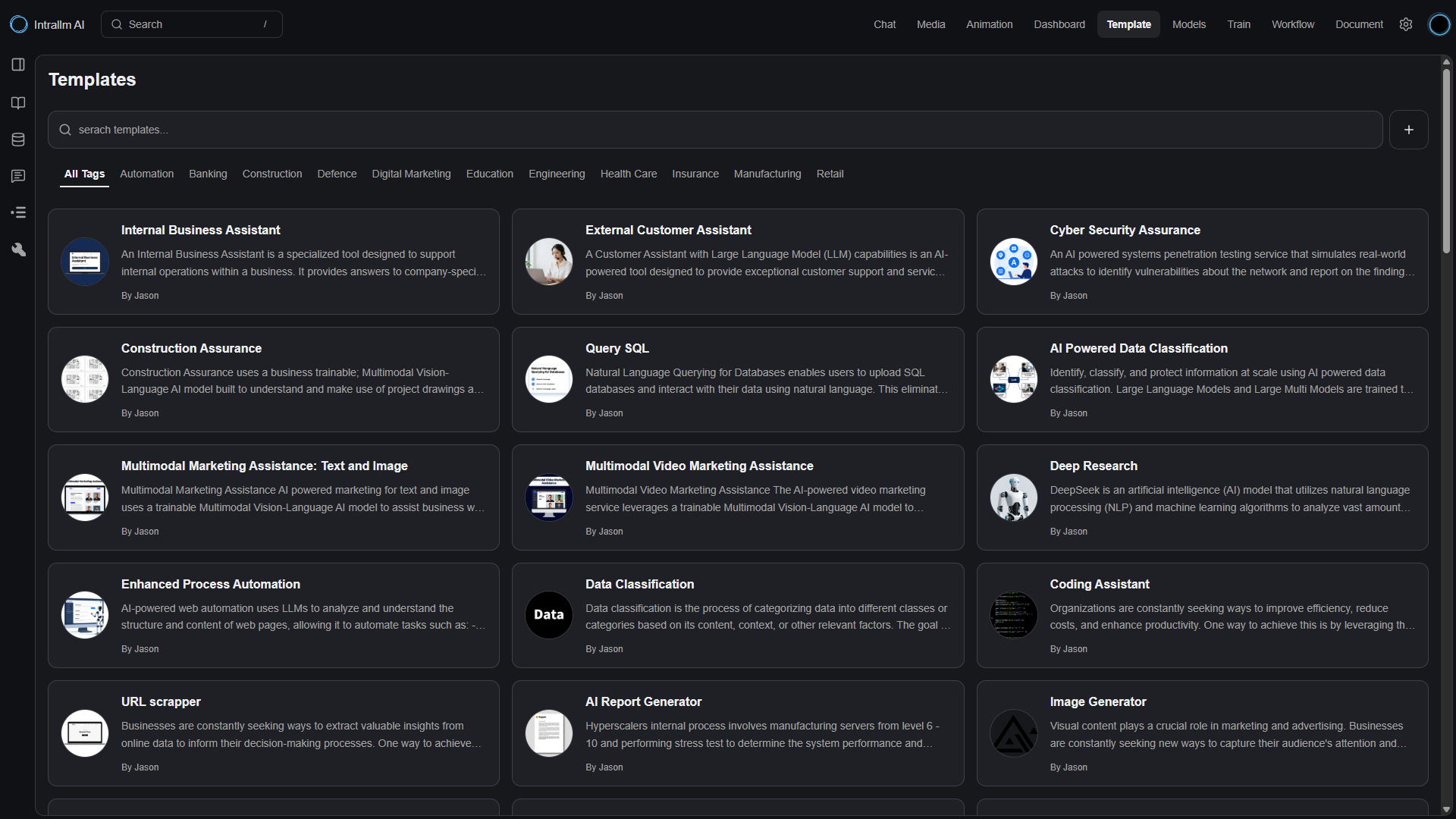
Search and filter a central library to find templates aligned with a task, business function or industry context.
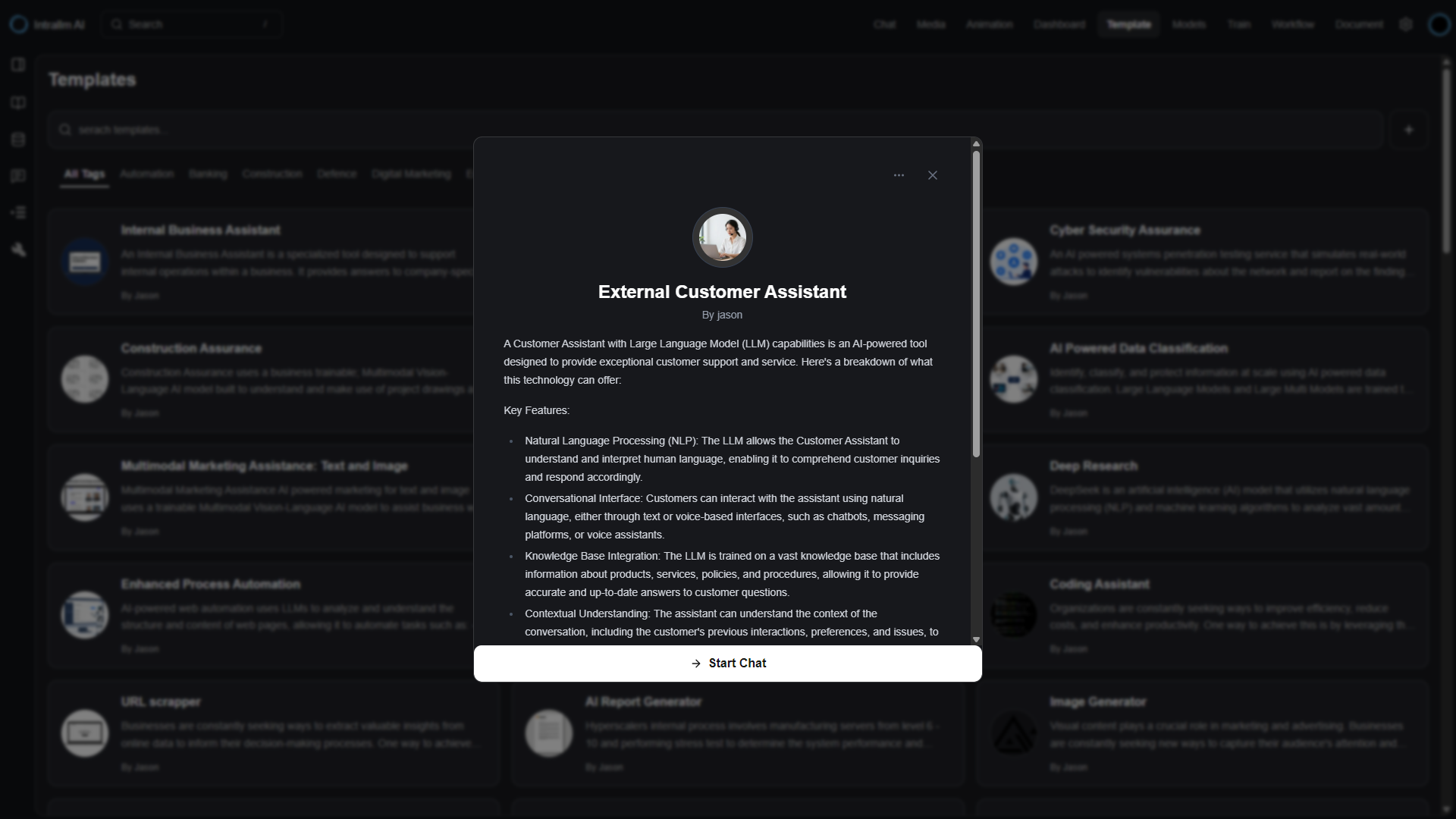
Preview a template's purpose, conversation starters and enabled capabilities before deciding whether it fits the use case.
Change the model, system instructions, generation settings and capabilities while preserving a useful template as the starting structure.
Move through one connected workflow for selecting a model, preparing data,
running GPU training and putting the result to work.
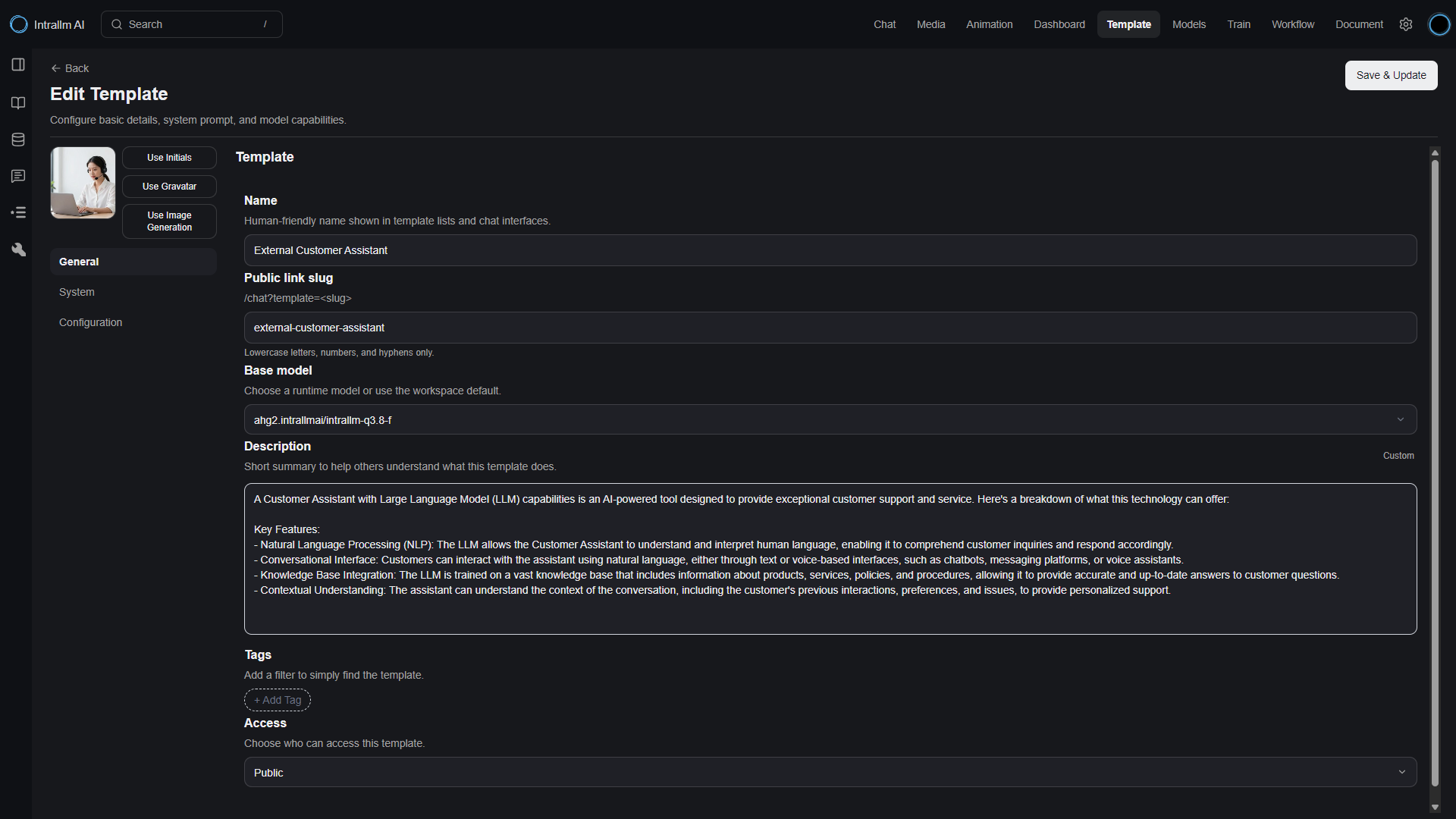
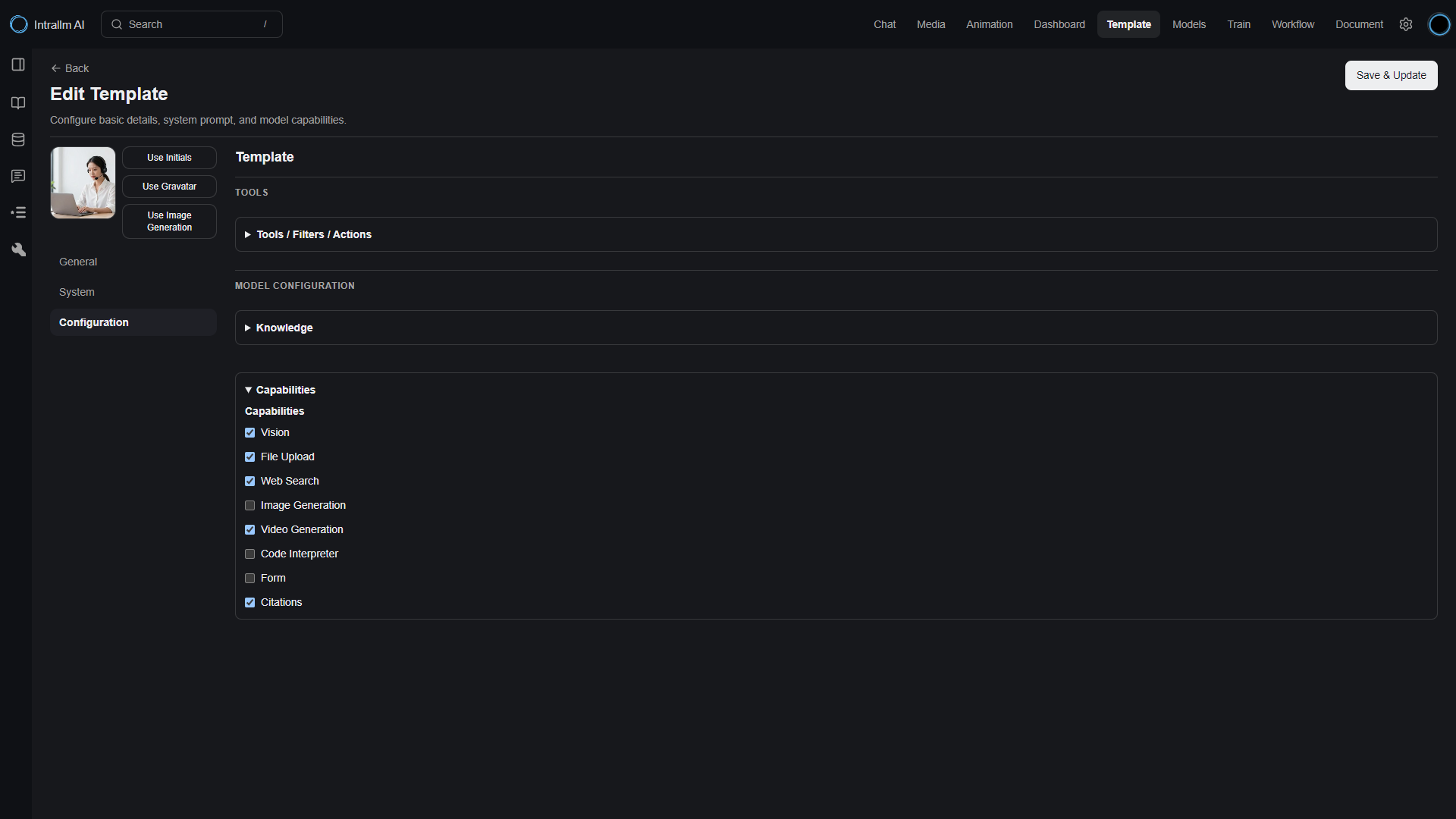
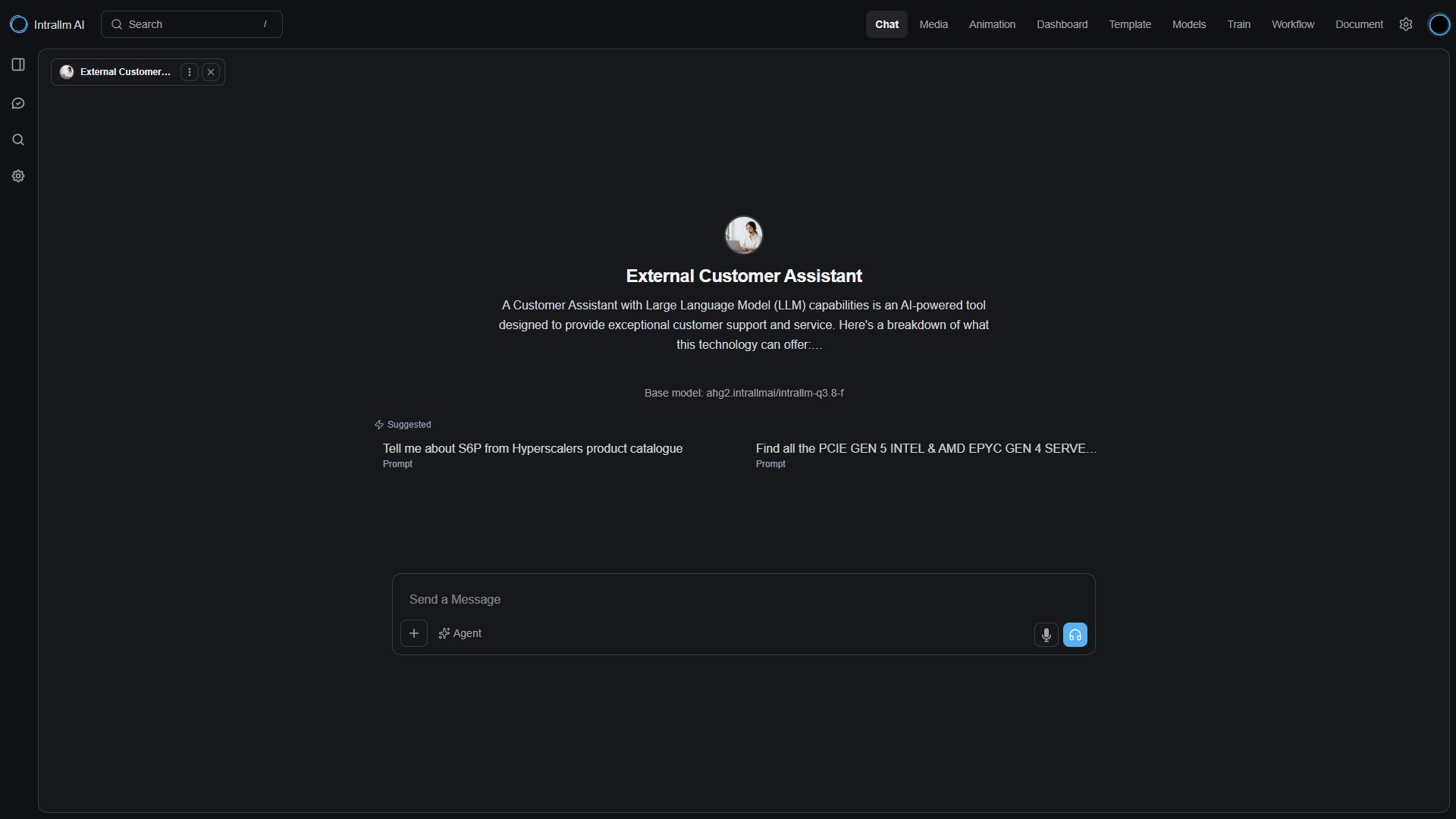
A template is more than a description card. It brings together the model, assistant identity, system instructions, response settings, conversation starters and enabled capabilities that shape an interaction.
When opened in Chat, that configuration becomes the starting experience users work with.
Model Training is part of the wider IntraLLM experience.
The outcome is not left isolated in a training environment:
it becomes a model that can be managed,
accessed and used through the platform.
Package an assistant’s purpose, identity, instructions, model settings, conversation starters and capabilities into a configuration that can be used repeatedly.
Build a growing library around business functions and industries, with search and tags helping users find the right assistant for each task.
Select an available runtime model for a specific template or inherit the workspace default to align assistants with deployment requirements.
Shape how each assistant responds through persistent system instructions and optional generation controls, including temperature, token limits, Top P and penalties.
Configure the interaction modes each assistant needs—including vision, file upload, web search, generation, code interpretation, forms and citations.
Clone templates for related use cases, import or export configurations, copy direct links and launch the finished assistant straight into IntraLLM Chat.
Explore specialised IntraLLM solutions designed to support different teams, tasks and business requirements.